

Give Each Team or Goal Its Own Lane
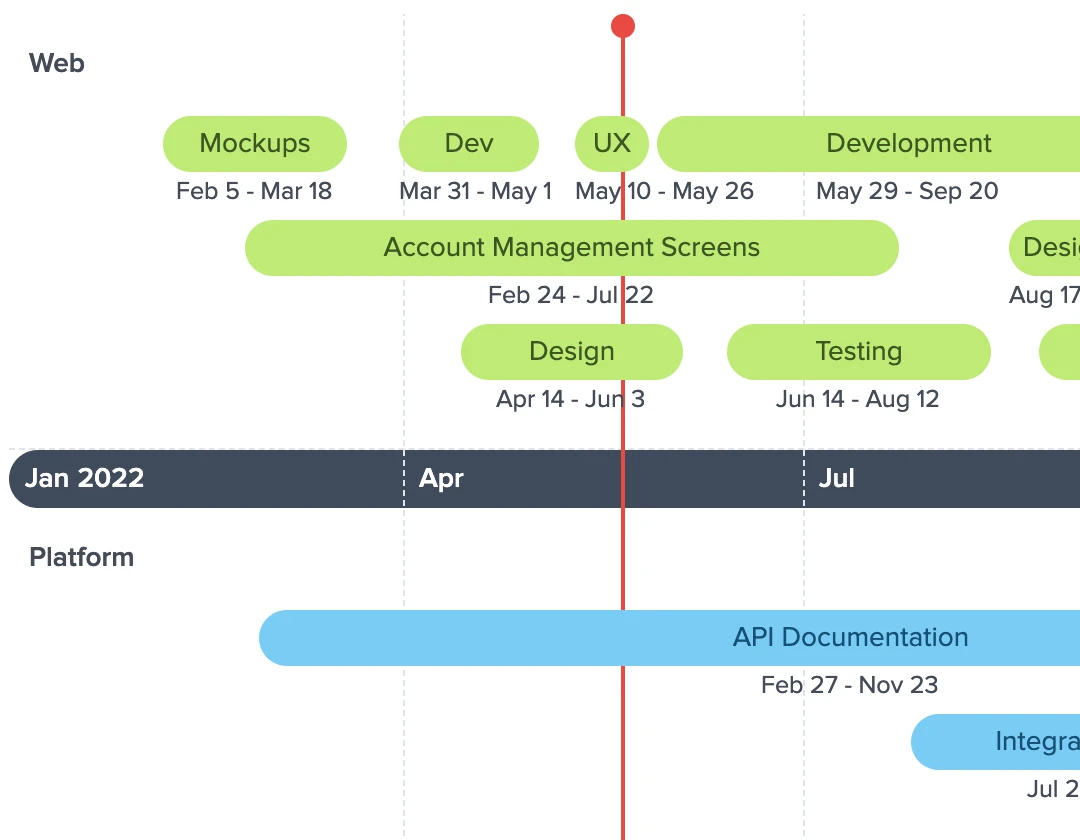
Choose the Multiple Layers template and each layer becomes a lane, with its name on the left. Add each initiative as a span of time, using dates as rough as a month, and mark releases and launches as milestones that run through every lane.
Keep It Current as Priorities Change
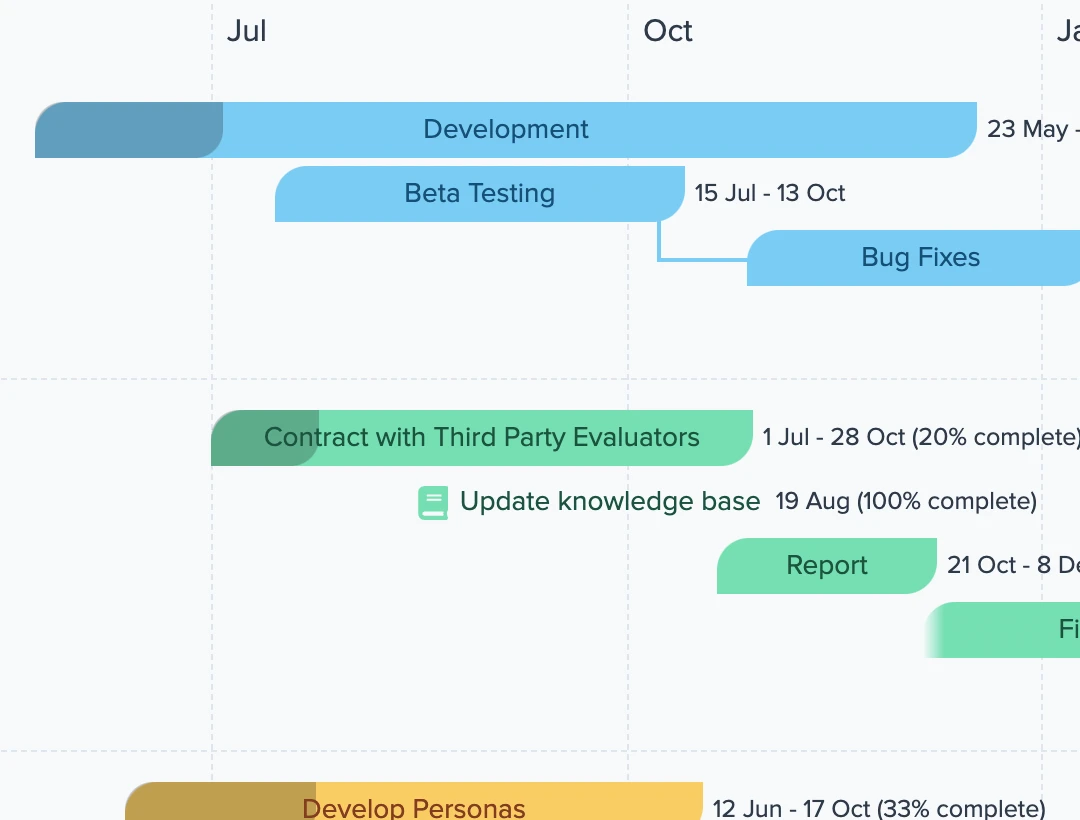
Drag an initiative to new dates when it moves, and make one start when another ends so its dates follow. Label the axis by quarter or fiscal year, draw a line on today's date, and set the date range relative to today so the roadmap keeps opening on what comes next.
Share It Without a Slide Deck Going Stale
Send a link or embed the roadmap on an internal site, so people always see the latest version. For a meeting, use Presentation Mode, or export a PDF or a PowerPoint file.

Everything You Need in a Roadmap
Here's what you can do with Preceden.
Layers
Group initiatives into layers, one per team, product area or goal, all on the same date axis.
Dependencies
Make an event start when another one ends, so fewer dates need updating when plans change.
Percent Complete
Show how far along each initiative is, which helps when the roadmap doubles as a status report.
Bulk Editor
Add and edit many initiatives at once in a spreadsheet-like grid, instead of one at a time.
Spreadsheet Import
Import initiatives from an XLSX or CSV file to turn a spreadsheet you already have into a roadmap.
Drag and Drop
Update dates and reposition events in seconds as your plans change.
Zoom
View all events at once or zoom in to focus on a specific time period.
Themes
Apply one of our built-in themes to change how a timeline looks.
Notes
Attach notes to an event, a layer, or the timeline as a whole to record extra detail.
Privacy Controls
Control who can see your timeline by making it private, password-protected, or accessible via a secret URL.
What Others Are Saying About Preceden
Preceden has all the features I was expecting in an online timeline maker and more. For example, I wasn't expecting to be able to allocate percent complete, although I'm glad that is an option as it helps with sharing status. You can also add project dependencies, which is a nice touch, as some roadmap tools just create the bars without allowing you to link between them. It also has plenty of personalization options that make it well suited for project management and teams looking to create visual roadmaps.
I created my first timeline in no time with dependency logic, layers, and relationships. It looks fantastic. There are several export options including CSV and presentation mode. It's really a great product and it provides the great visual solution. If you have to make such timelines for project planning and progress, this is a fantastic product and worthy of your consideration!
FAQs about Making a Roadmap in Preceden
How do I make a roadmap in Preceden?
Sign up, create a new timeline and choose the Multiple Layers template. Rename the layers for your teams or goals, then add each initiative with its start and end dates. Our guide to making a roadmap timeline covers each step, including how to show the axis in quarters.
Can Preceden generate a roadmap for me?
Yes. Type what you're planning, such as "roadmap for a mobile app launch", into the generator on our homepage. Preceden drafts the events and dates, and you can edit the result from there.
Is it free to make a roadmap?
Yes, you can sign up and create unlimited timelines with up to 10 events each for free. We have paid plans that let you add unlimited events and also provide more advanced functionality.
What's the difference between a roadmap and a Gantt chart?
A roadmap covers a longer stretch of time in less detail, with initiatives and rough dates. A Gantt chart lists the individual tasks of a plan, with one row per task. Preceden draws both from the same events, and our Gantt chart maker page covers that layout.
Can Preceden replace my product management software?
Not if you need to run the work in it. You can't assign a task to a person, balance workloads or collect feature requests in Preceden. It's built for communicating a plan clearly, and many teams use it alongside the tool that tracks the work.
What if I have more questions?
Browse our support docs for answers, or drop us a note anytime and we'll get back to you shortly: [email protected]
Preceden for Other Kinds of Timelines
Preceden is built for more than one kind of timeline. Here's what else people use it for.
- Project Management Plan and communicate project schedules.
- Education Bring class projects and lesson plans to life.
- Legal Cases Build case chronologies attorneys can share.
- Research Map out historical and academic research.
- Fiction Writing Track characters, plots, and fictional histories.
- Genealogy Line up your ancestors' lives on one date axis.
- Personal Timelines Map the homes, jobs and milestones of your own life.
- Homeschool Keep a history timeline that grows with your lessons.
- Timeline Templates Start from a ready-made layout instead of a blank page.