
Trusted by project managers at organizations including
One of the greatest benefits of Preceden's timeline maker software is when I use a timeline in a contract for a new client. By including a timeline that shows a detailed scope of work in the contract, I set the exact expectations that I’m going to fulfill, increasing client satisfaction with my consulting services. The timeline creator and timeline templates are very intuitive and quick, so it contributes to a more efficient use of my time. Read More
Four Templates: Simple, Multiple Layers, Gantt Chart, and Classic
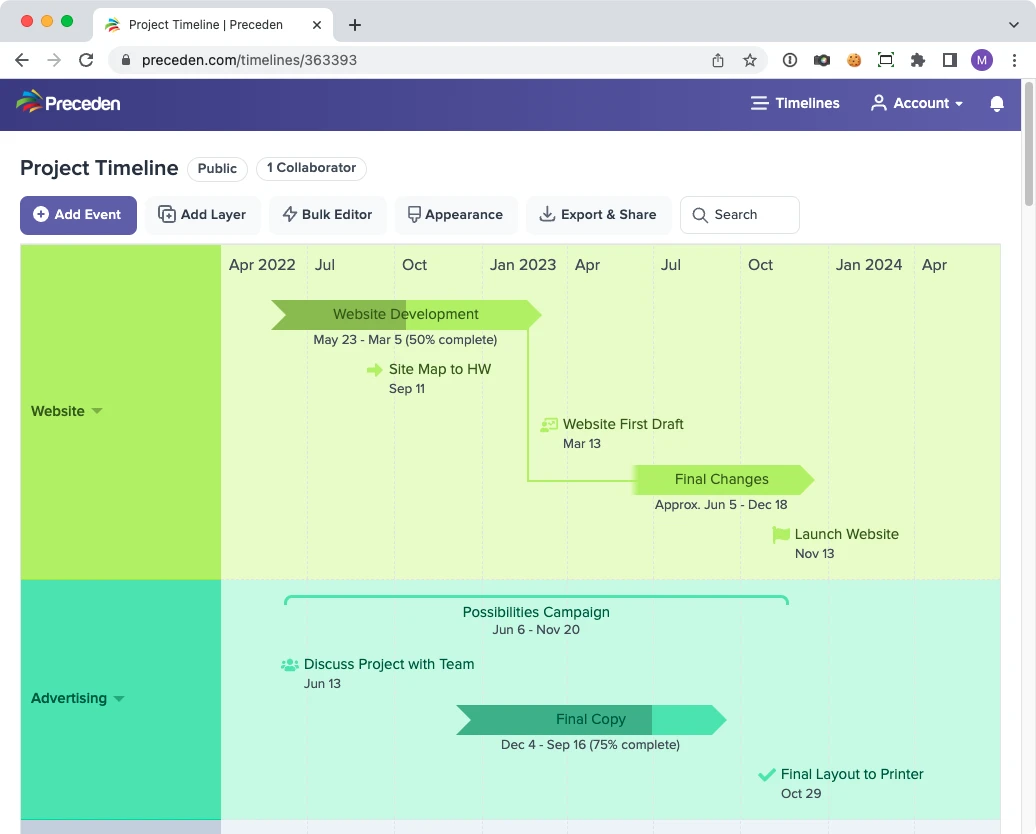
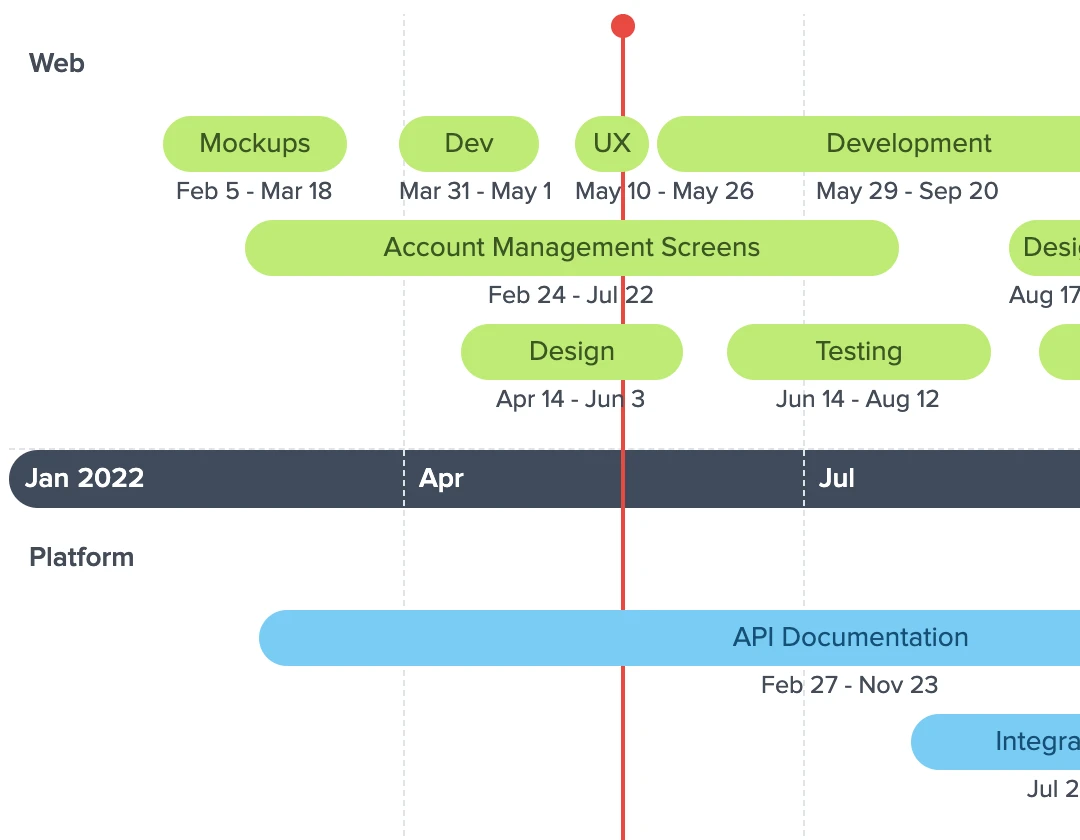
Choosing a template is the first thing you do when you create a timeline, and it sets up the layers, the colors, and the axis for you. Simple keeps everything on one layer. Multiple Layers gives you three parallel tracks with the layer names down the left. Gantt Chart lays work out as labelled bars for project schedules. Classic runs the axis between layers for a more traditional look.
Templates Built for Professional Work
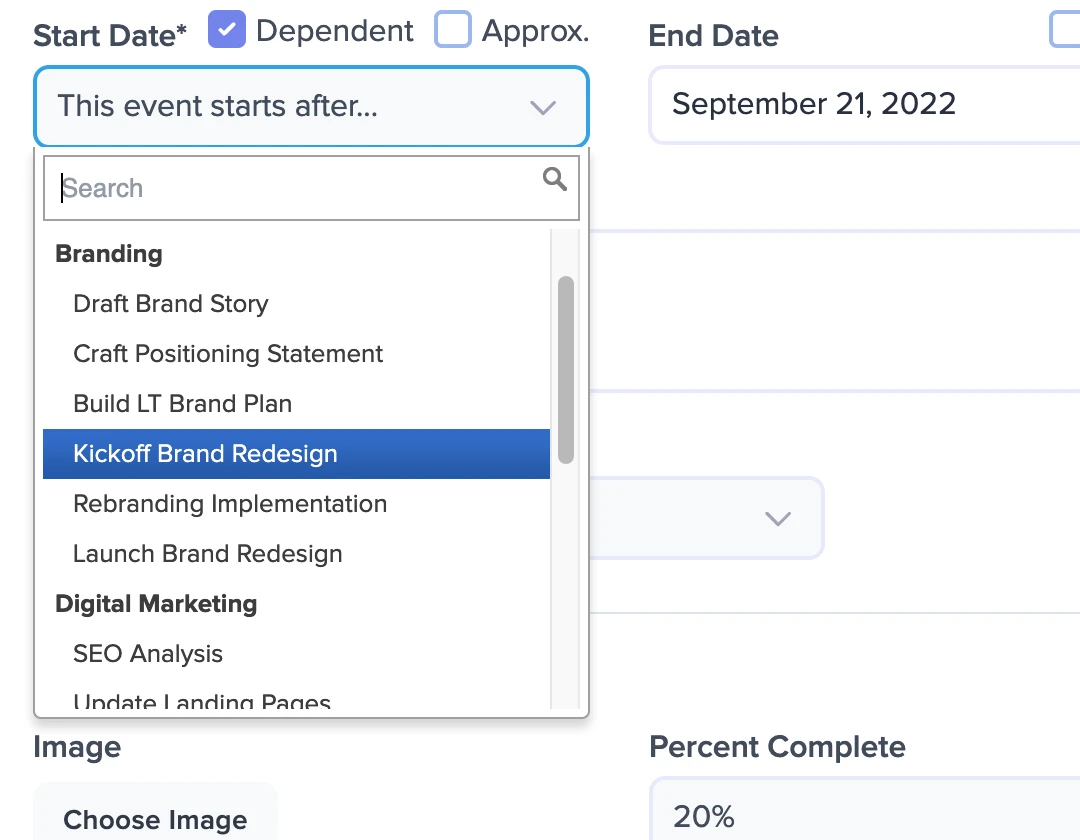
Start from the Gantt Chart template and the features project managers ask for are already there: dependencies so an event starts when another one ends, percent complete on every bar, milestones, and a bulk editor for adding many events at once instead of one at a time.
Share and Export the Finished Timeline
When your timeline is ready, share it as a link, an HTML embed, or presentation mode, and export it as a PDF, an image, a PowerPoint file, or a spreadsheet.

What You Can Build on Top of Any Template
A template is the starting point. Here's the rest of it.
Drag and Drop
Update dates and reposition events in seconds as your plan changes.
Layers
Add, rename and reorder layers after you pick a template, so the tracks fit your own work instead of the template's defaults.
Themes
Change how a timeline looks at any time by applying one of our built-in themes.
Dependencies
Make events start when other events end to minimize updates when plans change.
Percent Complete
Visualize the status of events by indicating the percent completed.
Bulk Editor
Add and edit many events at once in a spreadsheet-like grid, instead of one at a time.
Spreadsheet Import
Fill a template in a flash by importing your data directly from an XLSX or CSV file.
Duplication
Save time by quickly duplicating events, layers, or even entire timelines.
Connections
Draw connecting lines between related events to show how they fit together.
Legends
Add a legend to inform viewers what the colors you've chosen represent.
Privacy Controls
Control who can see your timeline by making it private, password-protected, or accessible via a secret URL.
Zoom
View all events at once or zoom in to focus on a specific time period.
Icons
Choose from over 4,600 icons, from shapes to social media icons, to enhance the presentation of your timelines.
FAQs about Preceden's Timeline Templates
What timeline templates does Preceden have?
Preceden has four: Simple, Multiple Layers, Gantt Chart, and Classic. They are starting configurations rather than finished documents, so each one sets up the layers, colors, and axis of a new timeline and then gets out of your way.
Do the templates come with events already filled in?
No, and that is deliberate. A populated template means changing every date, name, and description someone else wrote before the timeline says anything about your project, which is usually slower than adding your own events to a layout that already looks right. To see what finished timelines look like first, our timeline examples page links a real timeline or a guide for each common kind.
Which template should I use for a Gantt chart?
The Gantt Chart template. It lays events out as horizontal bars against a shared axis, which is what most people mean by a Gantt chart. Read more about how Gantt charts and timelines differ.
Can I download a template for Word, Excel, or PowerPoint?
Preceden's templates are layouts inside the app rather than files you download, so there is no .docx or .xlsx to open. If you would rather build the timeline in one of those programs, we have step-by-step guides for Word, Excel, and PowerPoint. You can also build it here and export the finished timeline as a PowerPoint file, a PDF, or an image.
Can I try Preceden for free?
Yes. You can sign up and create unlimited timelines with up to 10 events each for free. Our paid plans lift the event limit and add more advanced functionality.
Preceden for Other Kinds of Timelines
Preceden is built for more than one kind of timeline. Here's what else people use it for.