
Duplicate or Copy a Timeline
You can duplicate a timeline from the Update Timeline dialog in the editor or from your Timelines dashboard.
From the Editor
- Open the timeline you want to duplicate.
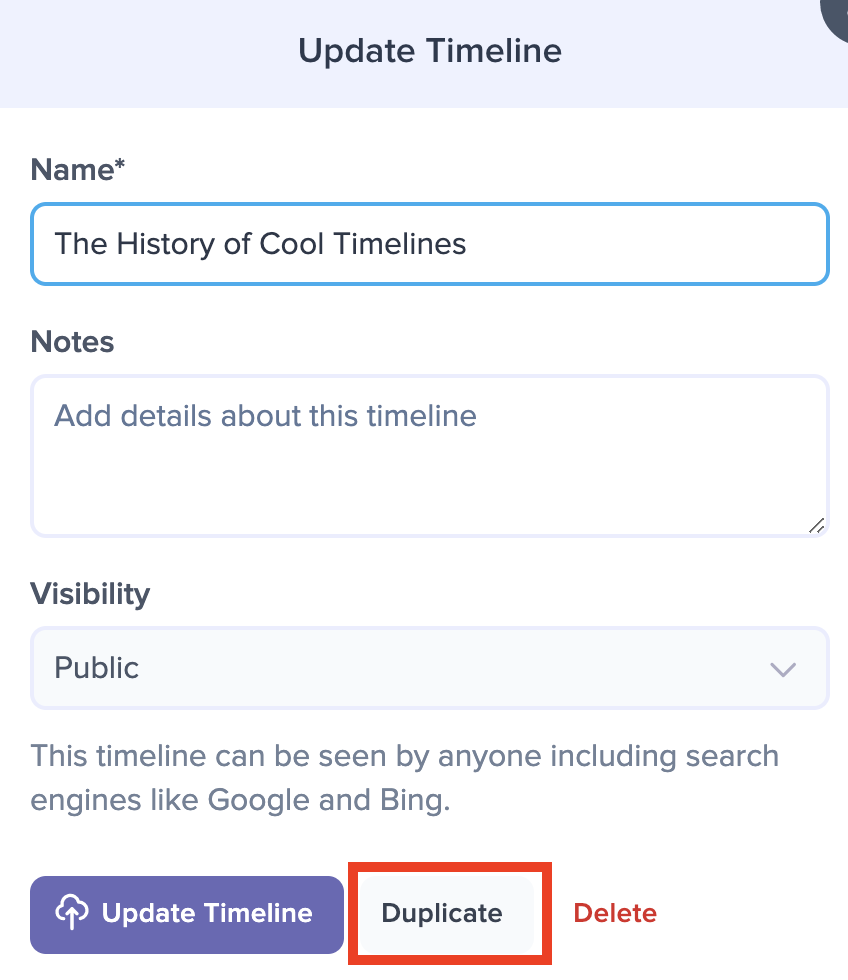
Click the timeline's current Name.

The Update Timeline dialog opens.
At the bottom of the dialog, click the Duplicate button.
A confirmation dialog opens, asking "Do you really want to duplicate this timeline?" Click Yes to confirm or No to cancel.
Preceden creates a copy of the timeline with "(Copy)" added to its name, then lets you know when it's ready. Click View the Copy to open it.
From the Dashboard
- Hover over the timeline to reveal the three-dot menu in the top right corner of its title bar.
- Click the menu and choose Duplicate.
- Click Yes, duplicate it to confirm.
The copy appears in your timeline list when it's ready. If you have a folder open when you duplicate a timeline, the copy goes into that folder too.
Copying a large timeline can take a few minutes. Preceden makes the copy on its servers, so it keeps going if you close the page, and it shows up in your timeline list once it's done.
What the Copy Includes
The copy has the original's layers, events (including their images, connections, and dependencies), legend, and appearance settings. Collaborators are not copied, so invite them again if they need access to the new timeline.
The copy also keeps the original's visibility setting, including the password of a Password Protected timeline, and whether it can be embedded. A Secret URL timeline's copy gets its own secret link, so the link you shared for the original does not open the copy.
The copy belongs to whoever makes it. If you duplicate a timeline that someone shared with you as a collaborator, the copy is saved to your own account and the original stays with its owner.