
Rename Your Timeline
You can rename a timeline from the Update Timeline dialog in the editor or from your Timelines dashboard.
From the Editor
The Update Timeline dialog is also where the timeline's notes live, so use it if you want to change both.
- Open the timeline you want to rename.
Click the timeline's current name to open the Update Timeline dialog.

Update the timeline's Name, and its Notes if you use them.
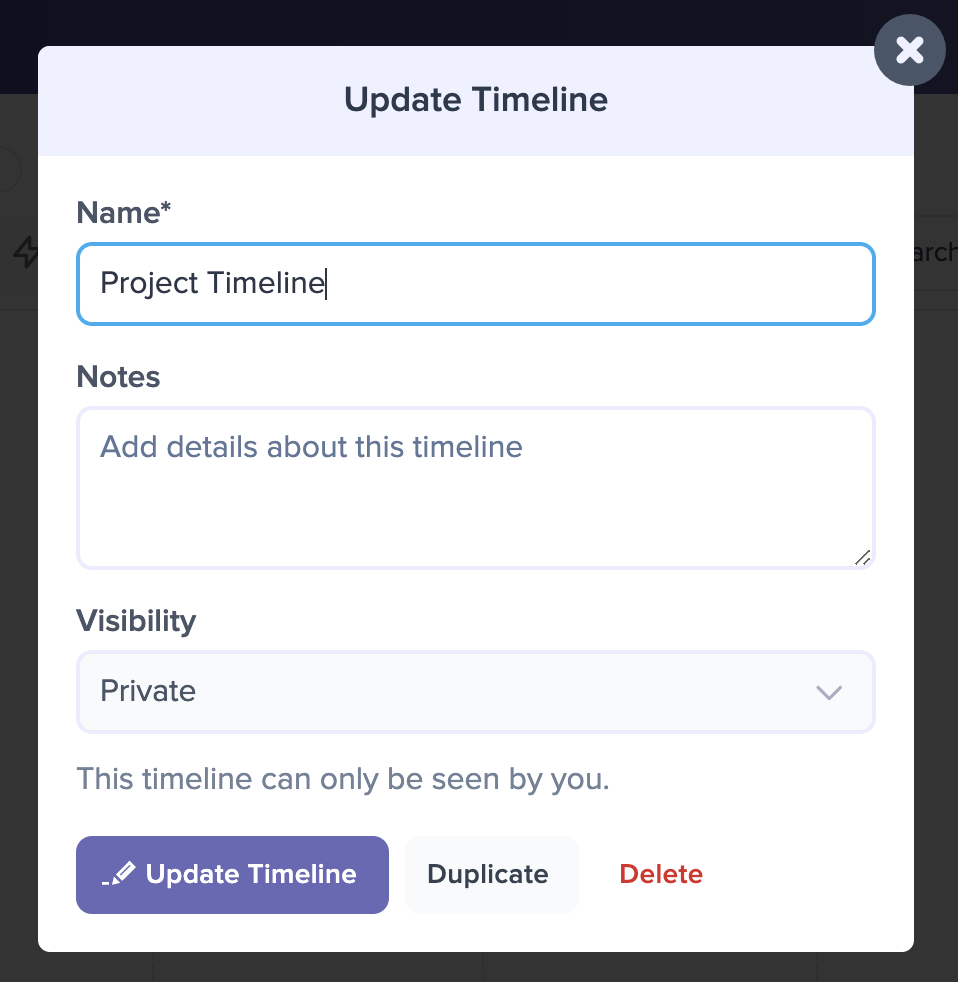
Click the Update Timeline button to save the changes.
The dialog also has Duplicate and Delete buttons at the bottom if you want to copy or remove the timeline instead. On a timeline shared with you as a collaborator, only Duplicate appears.
From the Dashboard
- Hover over the timeline to reveal the three-dot menu in the top right corner of its title bar.
- Click the menu and choose Rename.
- A box opens with the current name filled in. Type the new name and click Rename.
Renaming from the dashboard changes only the name. To edit the notes, use the editor.