
Delete a Timeline
You can delete a timeline from the Update Timeline dialog in the editor or from your Timelines dashboard.
Deleting a timeline is permanent. Preceden has no trash to restore it from, and the timeline's layers and events are deleted along with it. If you might want it again, duplicate it first.
If you shared the timeline with collaborators, it is deleted for them too, and any invitations they haven't accepted yet stop working. Links to the timeline and any embeds of it on other sites stop working as well.
From the Editor
- Open the timeline you want to delete.
Click the timeline's name.
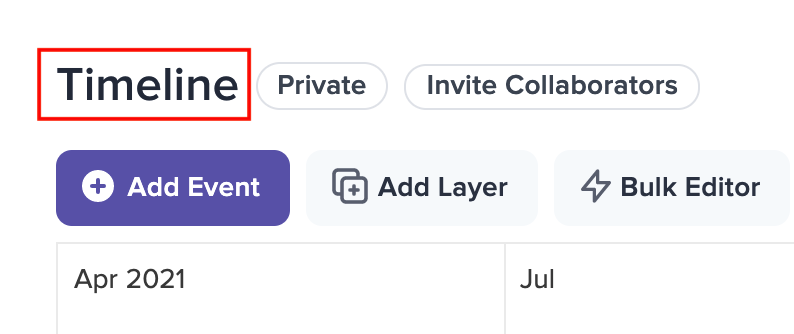
The Update Timeline dialog opens. Click the Delete button at the bottom:
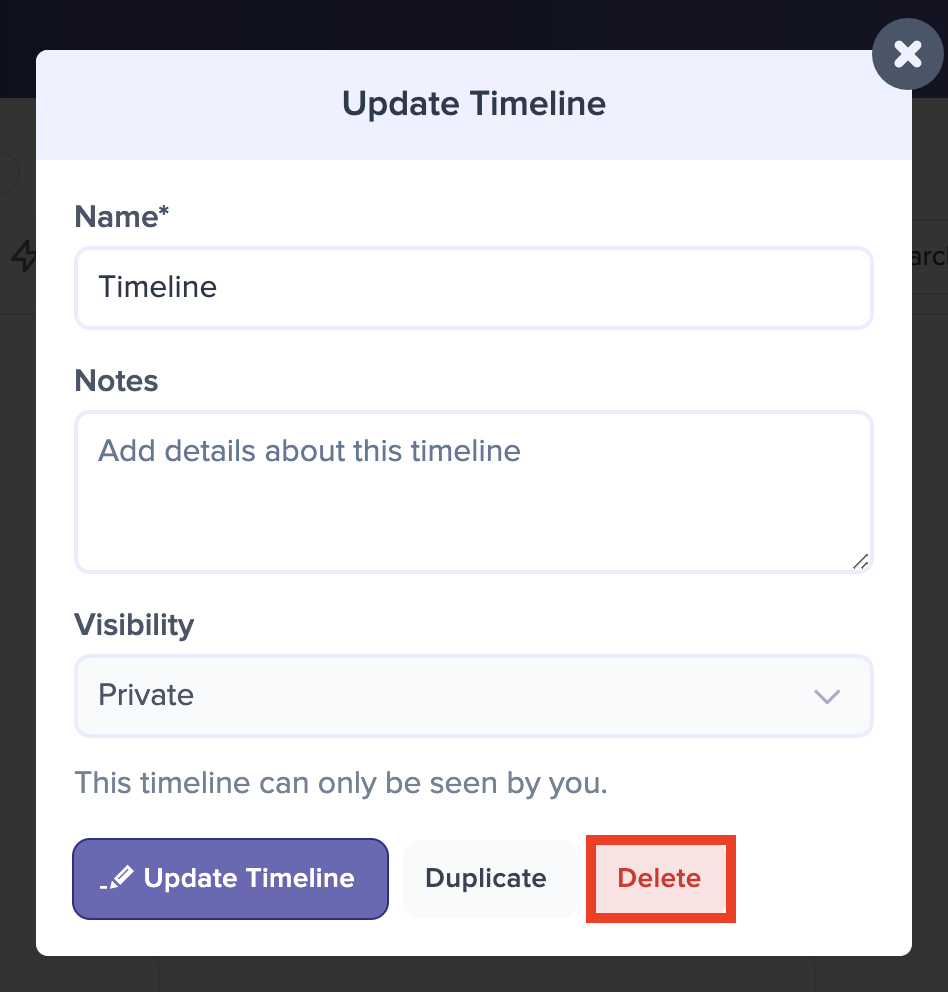
If the timeline has any events, Preceden asks you to type DELETE into a box to confirm:
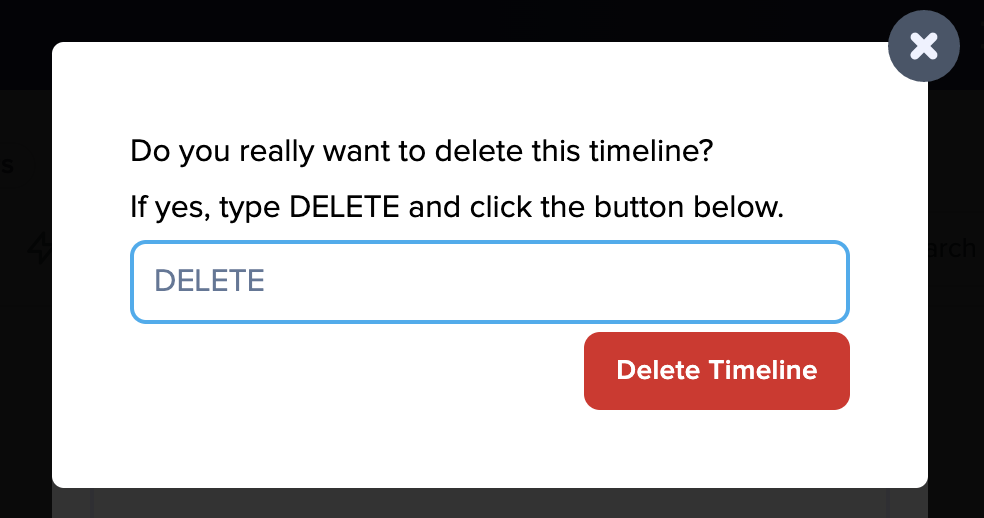
Click Delete Timeline to confirm, or click the X to cancel.
If the timeline has no events, there is no confirmation step: it is deleted as soon as you click Delete.
From the Dashboard
- Hover over the timeline to reveal the three-dot menu in the top right corner of its title bar.
- Click the menu and choose Delete.
- Click Yes, delete it to confirm.
The dashboard does not ask you to type DELETE, even when the timeline has events, so check the timeline name in the confirmation before you click.
If a timeline was shared with you as a collaborator, you can't delete it, and the Delete option doesn't appear for it.