
Reviewing Preceden on AlternativeTo
Preceden has a listing on AlternativeTo, a popular software review website.
If Preceden has been useful to you, we'd be grateful if you upvoted the listing and left a quick review.
It should take less than 10 minutes.
Step-by-Step Instructions
Open Preceden's AlternativeTo listing: https://alternativeto.net/software/preceden/about/
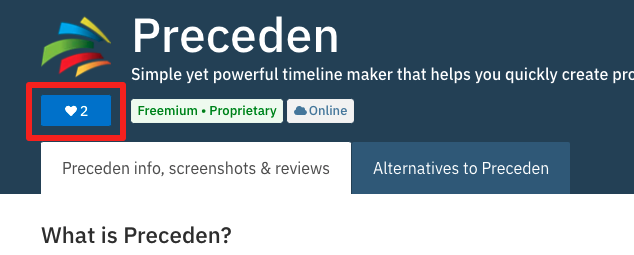
Click the heart icon:
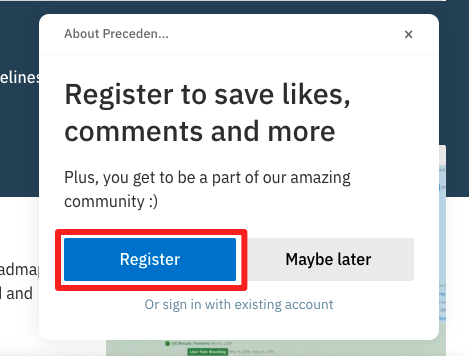
AlternativeTo will ask you to register. Click Register rather than Maybe later so your review is saved properly:
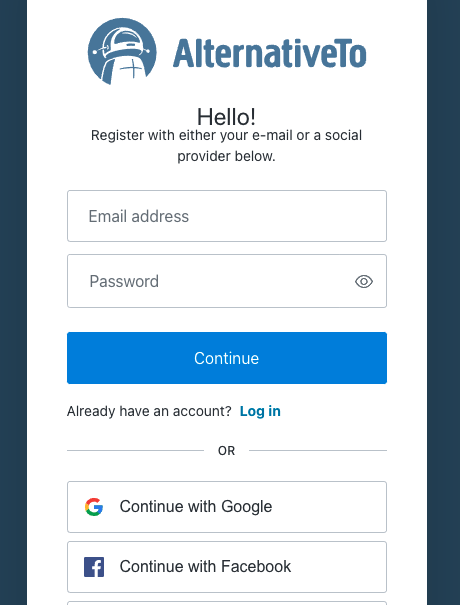
Sign up for an AlternativeTo account:
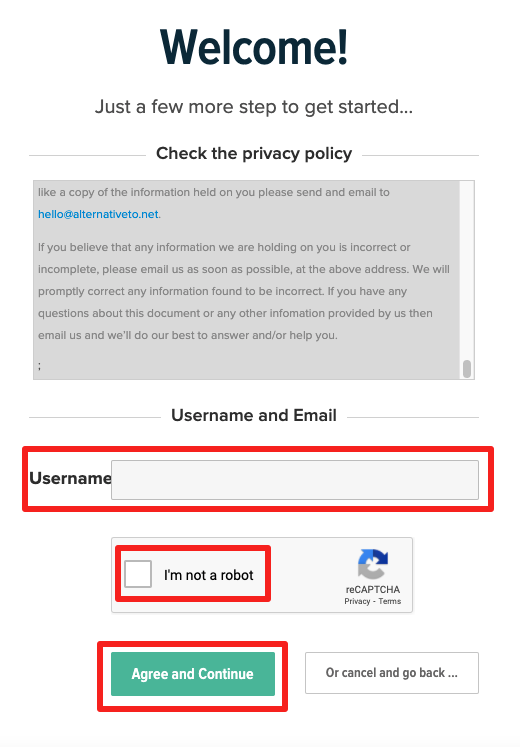
Agree to their privacy policy, pick a user name, and confirm you're not a bot:
Now that you've registered, you can leave the review:
If you signed up with an email and password, first click the verification link AlternativeTo emails you. If you signed up with Google, Facebook, or another account, you can skip this step.
Back on Preceden's listing, click the heart again:
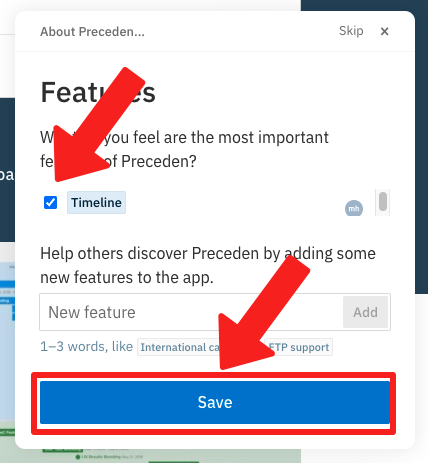
Select or add any features you think are important, then click Save:
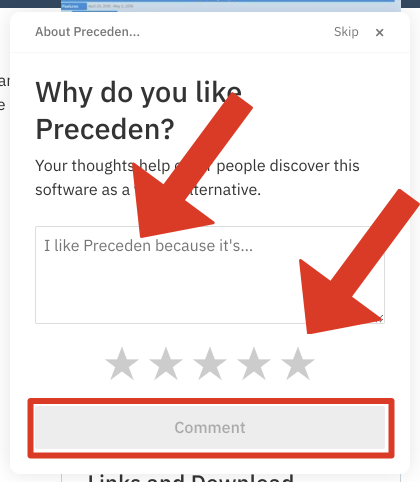
Write a short review of Preceden, ideally describing the benefit you get from it, choose a rating, then click Comment:
That's it!
It may take a few days for your review to be approved, so don't worry if you don't see it on the listing right away.
To hide the review request on your Preceden dashboard for good, click the X in its top right corner.
Thank you so much for doing this. Reviews like this help us get Preceden in front of more people looking for timeline software.