
Delete a Layer
Here's how to delete a layer:
- Click the layer's name, either on the timeline or in the list of layers and events below it.
Click the Delete button at the bottom of the Update Layer dialog.
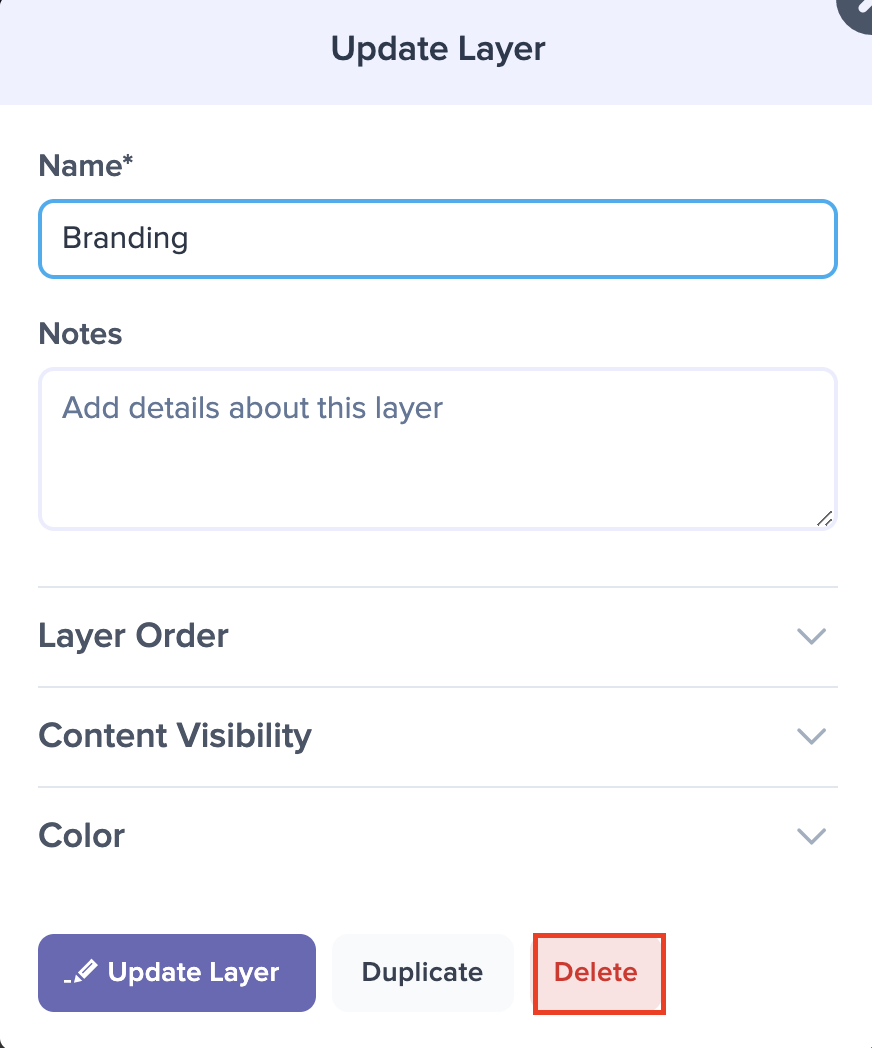
If the layer has events, Preceden asks "Do you really want to delete this layer?" Click Delete Layer to confirm or No to cancel. An empty layer is deleted straight away, without asking.
Deleting a layer also deletes its events. To take a layer off the timeline while keeping its events, hide the layer instead.
From the Bulk Editor
You can also delete a layer in the Bulk Editor. Hover over the layer and click the red X on the right of its row. An empty layer is deleted straight away. If the layer has events, Preceden names the layer and asks you to confirm that you want to delete it and all of its events.
When Preceden Offers to Remove a Layer
If a layer sits empty for a while, Preceden offers to take it off your timeline for you. A note appears under the layer's name in the list of layers and events below your timeline: "This layer doesn't contain any events and hasn't been changed in a while." Next to it is a Remove it from your timeline link.
The note only appears when all of these are true:
- The layer has no events in it.
- Nothing about the layer has changed in the last 30 minutes.
- Your timeline has more than one layer.
Clicking the link deletes the layer straight away, with no confirmation dialog. Nothing is lost, because the layer is empty, but the deletion is still permanent. Add the layer again if you decide you want it back.
The note goes away on its own once you add an event to the layer, or change the layer some other way such as renaming it.
Deleting a Layer Is Permanent
Preceden has no trash, so a deleted layer and its events can't be restored. The History button above your timeline lists each deletion, with the name of what was removed and who removed it, but it can't put the layer back. See Seeing What Changed.