
Reorder Layers Within the Timeline
Here's how to reorder the layers on your timeline:
- Click a layer's name, either on the timeline (if it's visible) or in the list of layers and events below it. The Update Layer dialog opens.
Click the Layer Order heading to expand it. It's collapsed by default.
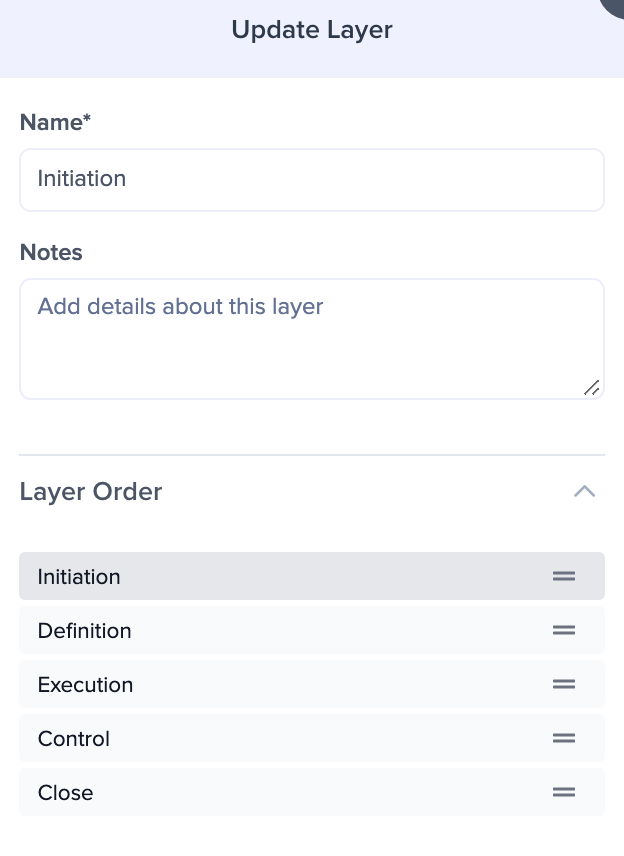
Drag the layers up or down into the order you want.
Click Update Layer to save the new order.
The Add Layer dialog has the same Layer Order section, so you can also set a layer's position when you first add it.
If your plan includes the Bulk Editor, you can also reorder layers there by dragging the grip icon beside each layer's name. The Bulk Editor saves the new order as soon as you drop a layer, so there is no button to click.